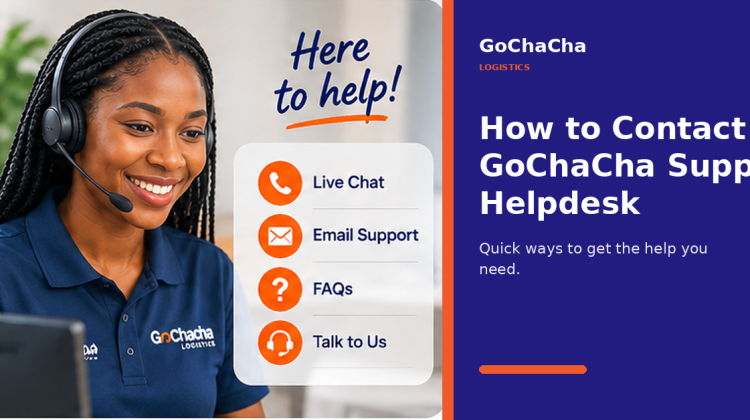
How to Contact GoChaCha Support Helpdesk
Delivery problems are easier to solve when the support team has the right information.
Whether you are trying to understand a delayed delivery, correct booking information, resolve a payment issue, or get help with your account, GoChaCha Support is there to help you find the next step.
The key is knowing when to contact support and what information to provide.
What Can GoChaCha Support Help With?
Customers may need assistance at different points in the delivery journey.
Common support requests can include:
- delivery tracking questions
- rider or pickup issues
- incorrect delivery information
- payment questions
- account access problems
- unsuccessful deliveries
- recipient issues
- general enquiries
- business delivery questions
- Angel support
Providing a clear explanation from the beginning can make your enquiry easier to resolve.
Before Contacting Support
Before sending a support request, check whether the information you need is already available in your delivery details.
For example, if you want to know where your package is, check the latest tracking status first.
If you still need help, gather the relevant information.
You may need:
Your delivery details
Have information that can help identify the specific delivery.
Your phone number
Use the number connected to your booking or GoChaCha account where possible.
Pickup and destination
These details can help distinguish between multiple deliveries.
A clear description of the problem
Avoid messages such as:
“My delivery isn’t working.”
Instead, explain what actually happened.
For example:
“My delivery was picked up, but the status has not changed for more than an hour and the recipient has not received the package.”
That gives the support team something specific to investigate.
Getting Help With a Delivery
If your issue involves an active delivery, provide information about what stage the delivery has reached.
Is the Angel still heading to the pickup point?
Has the package already been collected?
Has the rider reached the destination?
Is the recipient unavailable?
These details matter.
A delayed pickup is different from a delivery that cannot be completed at the destination.
Getting Help With Payments
If you believe you have a payment problem, avoid sending another payment immediately unless the first attempt clearly failed.
First, check your transaction information.
When contacting support, explain:
- what you were trying to pay for
- when the payment was attempted
- whether you were charged
- what message appeared after the transaction
Do not send sensitive banking credentials, passwords, PINs, or one-time passwords to anyone.
Support should never require your secret banking information to investigate an ordinary transaction issue.
Getting Help With Your Account
Account problems may include:
- difficulty signing in
- incorrect personal details
- phone number issues
- booking history questions
- profile problems
When requesting account support, provide enough information to identify the account without sharing passwords.
If You Entered the Wrong Address
Contact support as quickly as possible if you notice an incorrect pickup or delivery address.
The earlier the issue is reported, the easier it may be to correct.
Once a rider has travelled a significant distance, changing the route can affect the delivery time and possibly the delivery cost.
Always review your information before confirming a request.
What If the Recipient Is Not Available?
A delivery can reach the destination and still remain incomplete if the recipient:
- does not answer calls
- provides the wrong number
- is not at the stated location
- has changed the meeting point
Before contacting support, try reaching the recipient yourself.
If the Angel cannot complete the delivery, provide clear instructions on what should happen next.
Businesses Should Keep Delivery Records
If your company uses GoChaCha regularly, keep basic records of your outgoing deliveries.
This can include:
- customer name
- order number
- destination
- date sent
- delivery status
When a customer raises a complaint, you will have enough information to investigate quickly.
This also helps prevent different customer orders from being confused.
Clear Communication Gets Faster Results
The fastest support conversation usually starts with a useful first message.
Instead of:
“Hello.”
Then waiting for a response.
Send:
“Hello. I need help with a delivery from Ikeja to Lekki. The package has been picked up, but the status has not changed. Please help me check it.”
That immediately gives the support team context.
GoChaCha Support Is Part of the Delivery Experience
Good logistics does not end when a rider collects a package.
Customers also need somewhere to turn when something is unclear.
GoChaCha Support exists to help customers, businesses, and Angels resolve issues and continue moving.
When contacting the Helpdesk, provide accurate information, explain the issue clearly, and keep your delivery details available.
That makes the support process easier for everyone.
Frequently Asked Questions
What issues can GoChaCha Support help with?
Support can assist with questions related to bookings, deliveries, accounts, payments, tracking, and other GoChaCha services.
What should I send when reporting a delivery problem?
Provide information that identifies the delivery, along with the pickup location, destination, and a clear explanation of the problem.
Should I send my banking PIN or OTP to support?
No. Never share your PIN, password, OTP, or other confidential banking credentials.
What should I do if I entered the wrong delivery address?
Report the mistake as soon as possible. Correcting an address becomes more difficult once the delivery is already underway.